✓ Scanner can't ID your card? Eligible failed scans receive a credit refund — automatic or one-tap. Details
Sports Card Details
Fill in the card, then pick your exact parallel from the list — we price that one product at the grade you chose, from the SportsCardsPro guide. Parallels of the same card can differ by many multiples, so nothing is priced until you pick one. No published value for your grade means you’ll see a comp link instead of a guess.
Tip: Use the Search eBay bar above to find sold comps for your card. Copy the price you find into the Override price field below — the fee calculator will show you every platform's payout instantly.
Other TCG — Enter your card name above to search (no live data available for this category). Set your price manually using the Override price field in the card panel on the left.
A clear next step for every card.
Start with a search above. Your card's price and selling options appear here.
1
Find its value
Match the card and printing, then see available price references.
2
Compare what you keep
See estimated payouts after marketplace fees and shipping.
3
Choose your next move
Sell a single, group lower-value cards, or save them to Collection.
Working through a stack or binder?
Scan multiple cards and adjust only what needs correcting.
Price references vary by card. Use eBay research links to check recent sales; automatic sold data may be unavailable. How estimates work
0 cards searched today
📈
Track your card flips
Track what you paid, what you sold, and what you kept. The Free plan includes up to 10 flips. Paid plans add more tracking.
Cards sent for grading — track ROI vs. selling raw
All drafts
From CardResell drafts to eBay
Your CSV creates drafts for you to finish in eBay. eBay Connect is optional for this workflow.
Download your file. Review your saved card details, price, quantity and photos. Use eBay CSV on one draft, or select several and choose Download selected drafts. The filename starts with ebay-draft and ends with .csv. On iPhone, tap Share → Save to Files and choose Downloads.
Upload in Seller Hub. Sign in to eBay and open Reports → Upload. Choose Upload template (or Start upload), then select that ebay-draft .csv file from Files → Downloads. A Collection CSV is a backup, and a JPG is a photo; neither is an eBay upload template. If asked, choose Listings / Create drafts.
Check the upload results. Look in Recent uploads for errors or the downloadable results report. Choose Complete listings for the accepted draft upload. Check the results before uploading again to avoid duplicate drafts.
Finish and publish in eBay. Review photos, condition, item specifics, price and quantity. Complete shipping, returns and payment details, review eBay’s fees, then publish when ready.
Downloading starts a file download; it does not upload or publish anything. Seller Hub Reports access is required. If photos are missing, add them in eBay before publishing; exported photo links last up to 30 days.
You can always reopen this guide with How to use drafts.
💾Your cards are saved to this browser only. Sign in + verify email to sync across devices and unlock 10 free ID scans + 1 AI Grade.
Your collection
Sync and recovery
Track cards you own. Open Drafts to prepare a listing.
Saved AI grades
Quick and Deep Grade reports · Included on every plan
Total Cards
—
Cost Basis
—
Unrealized P/L
—
More
Compare monthly scans, grades and membership benefitsCompare plans →
Log Card for Grading
📷
Card Identification Scanner
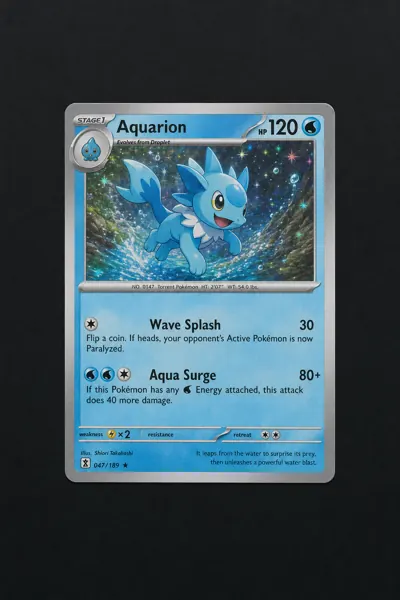
Take a photo of a supported card to identify it and look up available market prices. Confirm the set and variant before using the result. Sports cards may need you to select the exact parallel.
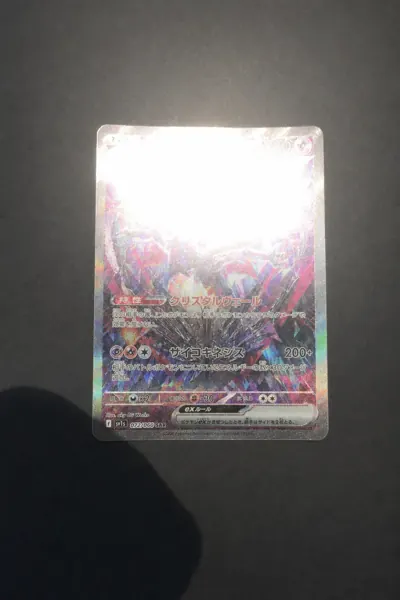
Tip: remove reflective sleeves — glare hides the card number.
10 Grade Scans
Centering · Corners · PSA estimate
$5.99
POPULAR
25 Grade Scans
Most popular · Great for weekly grading
$12.99
50 Grade Scans
Best for bulk grading
$22.99
or
⭐ Compare monthly subscriptions
Review current allowances and eligible pack discounts
See plans
Buy ID credits
Card name · Set · Available price references
See packs
⭐ Compare monthly subscriptions
Review current allowances and eligible pack discounts
See plans
🏅
How do you want it graded?
Grade estimates are only as good as the photos. Deep Grade sees corners and edges — the two things that most often bust a Quick estimate.
RECOMMENDED
🔍 Deep Grade
4–6 photos · front, back + 2–4 edges Computer-vision centering, corner and edge measurements from your photos · if that step can't finish, it's billed as a Quick Grade (1 credit) Use before submitting to PSA / BGS / CGC
2 credits
⚡ Quick Grade
2 photos · front + back only Fast look for raw cards you already know are clean — skips corner + edge inspection
1 credit
📸
How to take a great grading photo
Clear photos help reveal visible condition issues. Photo estimates can miss defects or differ from a professional grade; this is a screening tool, not a PSA replacement — see our accuracy log.
DODON'T
💡
Bright, even, indirect light
Near a window during the day is ideal. Kill glare hotspots and finger shadows.
DODON'T
📤
Remove sleeves, toploaders, and slabs
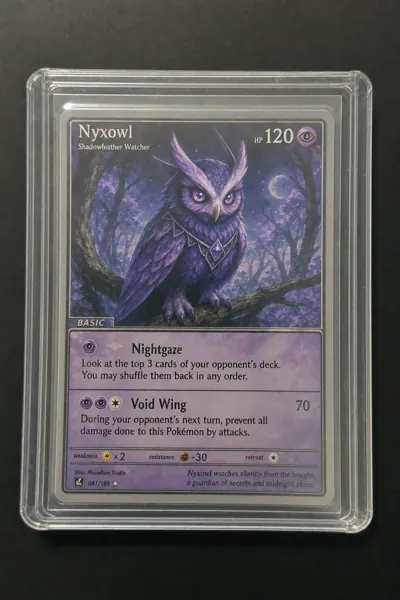
Plastic reflects light and hides flaws. Take the bare card out — you can put it back after.
DODON'T
🎯
Fill the frame, aligned straight
Card edges close to the photo edges, held parallel — not tilted.
DODON'T
🧼
Plain, uniform background
Solid dark surface. No clutter, no wood grain, no fabric.
DODON'T
🔍
Tack-sharp focus, no motion blur
Tap to focus, hold steady, count "one" before releasing. Blurry photos hide the flaws that decide the grade.
The 6 photos Deep Grade needs
Front, back, and each of the four edges close-up. Here's what each should look like. Tap any example to see the full image:
Illustrative examples. Quick Grade only needs #1 & #2. Deep Grade uses all 6 for corner + edge inspection.
Log a Flip
🏅Saving as PSA 10
Thanks for supporting CardResell.
You unlocked more venues. We left you on US defaults —
eBay and TCGPlayer — so nothing foreign (like Cardmarket) can show as
best payout by accident.
Turn on Whatnot, Mercari, Poshmark, or the rest only if you
actually sell there. You can change this anytime under
Venues (next to the game menu).
You also unlocked consignment and
store buylists. Both sit in their own sections, out of
Best Payout, so a store quote or a
weeks-long consignment payout cannot beat TCGPlayer by accident.
Cancel anytime in Account → Manage billing. Failed scans still refund.
Which venues should we compare?
Only venues you turn on can be ranked best payout. We start US sellers on
eBay + TCGplayer so an overseas marketplace can’t win on a number that
leaves out postage.
Selling a stack of $1 cards?
🃏
CardResell
Built by a card flipper, for card flippers
CardResell was built by Will Jones in Bradenton, Florida to solve a problem every reseller hits — you know your card is worth money but you have no idea which platform actually pays you the most after fees.
Compare estimated take-home across available marketplaces using sourced market prices and guide values. Check the source, condition and variant before relying on a value. When eBay sold data is unavailable, use the sold-search link to research comparable sales yourself.
The AI Grading Estimate assesses visible centering, corners, edges and surface from your photos. It is a condition estimate, not a professional grade or a guarantee of any grading company’s result.
⚠️ Some platform links are affiliate links — we may earn a small commission at no extra cost to you. Prices and fee estimates are for informational purposes only.
🃏
—
—
$—
—
Saves a draft in CardResell. It is not submitted to any marketplace.
See how close each scan gets you to breaking even.
How do you want to scan?
Scan a binder page Guided
Photograph one page straight-on in even light. Match the grid to the pockets. We tick the pockets that hold a card for you to review. This identifies cards; it does not grade them. Binder glare can hide holo and reverse-holo patterns. Check each card’s finish after identification; uncertain cards can be saved without a price.
Fit one whole card inside each box. Keep the phone parallel to the page.
Fit the photo to the grid
Zoom until each box contains one whole card. Use the arrows for small moves. On a touchscreen, choose Move photo before dragging; scrolling returns when you lift your finger. For an angled page, retake it straight-on.
Swipe on the photo to scroll.
1 ID credit per selected pocket. Only selected pockets are sent for identification. Glare or angled pages may need individual photos.
0 queued
One card per photo. Capture your stack, then review ID credits before scanning.
📷Keep all four edges visible. Check text and reflections before capturing.
1.0x
📦
Scanning 1 of 5…
Total card value$0.00
Scanning…
Select cards to compare or draft
More actions ▾
More actions ▾
What did you pay?
Leave blank if unknown. Enter 0 only if the cards cost nothing.
$
Split evenly across the 0 cards below.
📱
Install CardResell on your phone
Scan cards right from your home screen — no browser tabs.
Scan menu
Identify + price cards. Uses ID credits.
Estimate PSA-style grades. Uses grade credits.
Deep uses 6 photos per card for the tightest PSA-style estimate — recommended before submitting to a grading company.
Bulk Grade — pick a mode
Same batch, different depth. Pro batches up to 10 cards; Business up to 25.
⭐ Bulk AI Grade
PRO / BUSINESS
1 grade credit per card · up to 10 per batch (25 on Business)
🔒
Bulk Grade is included with Pro and Business
Queue up to 10 cards on Pro or 25 on Business for Quick or Deep Grade estimates. Each card needs its own photos;
normal per-card credits apply. Review the results before deciding what to submit.
Pro includes:
• 40 Grade credits/mo · 250 ID credits/mo
• 15% off top-up packs
• Bulk Grade tool (this one)
• All 18 selling venues unlocked
• COMC & Fanatics consignment + 7 buylist and bulk routes (Card Kingdom, CoolStuffInc, SCG, TCG Bulk, Full Grip Games, Meta TCG, Card Conduit)
Grade a whole stack at once
Upload front and back photos of up to 10 cards (25 on Business). Each gets a photo-based
condition estimate. Deep Grade also uses four edge close-ups.
💡 Tip: use good lighting and lay cards flat. Photo quality drives grade accuracy.